
csf_firewall:ajouter_un_ip_whitelist
This is an old revision of the document!
Table of Contents
Ajouter une adresse IP à la liste blanche (whitelist)
Via DirectAdmin
- Connectez-vous à DirectAdmin en tant qu'administrateur
- Dans le menu du haut: Extra Features > ConfigServer Security & Firewall (fr: Outils > ConfigServer Security & Firewall)
- Dans la section csf - Quick Actions ajouter votre IP dans la case Allow IP address et ajouter comme commentaire #do not delete dans la champs Comment for Allow: et cliquez Quick Allow

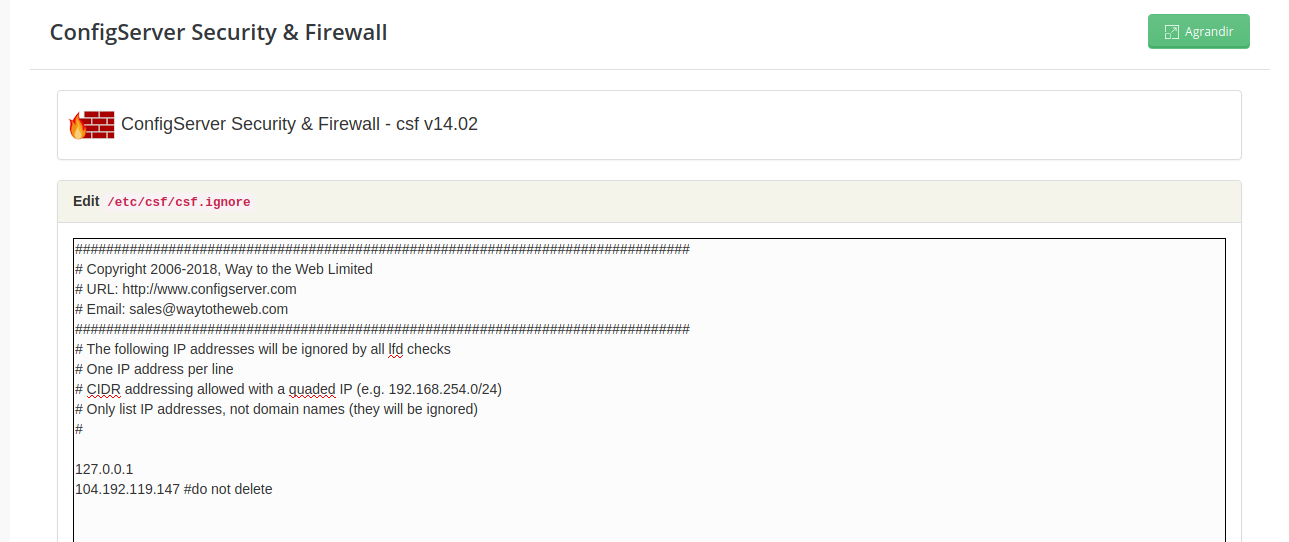
- Dans la section lfd - Login Failure Daemon, modifiez le fichier csf.ingnore IP Blocking

- Ajouter votre adresse IP suivi de #do not delete dans le fichier et sauvegarder.
Via Console
You could leave a comment if you were logged in.
csf_firewall/ajouter_un_ip_whitelist.1586614818.txt.gz · Last modified: 2020/04/11 14:20 by Philippe Robert